Iron Snout 2 Unblocked — Play Free Online
More Fights & Brawls games

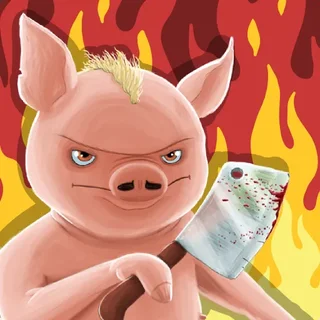





Iron Snout 2 unblocked: play Iron Snout 2 online free right here in your browser — no download, no sign-up, works on a school Chromebook.
Iron Snout 2 drops you into a relentless martial arts showdown where a lone pig stands ground against continuous swarms of aggressive wolves. Rather than navigating broad arenas, your fighter remains anchored in the middle of the screen while threats charge in from both sides. Survival hinges on razor-sharp reflexes, rhythm, and prioritizing which flank demands your immediate strike.
Every wave brings escalating pressure. Common wolves sprint straight in with fists flying, while specialized attackers arrive wielding butcher knives, swinging chainsaws, leaping off pogo sticks, or hurtling forward on rockets. Because enemies attack in rapid succession, button mashing will quickly leave you vulnerable. The real satisfaction comes from finding a clean flow state where every punch, dodge, and counter aligns with the incoming assault.
For players who enjoy physical arcade action and quick reaction loops, this sequel delivers instant gratification. Rounds start immediately, losses are swift, and restarting takes only a single keystroke, making it an ideal choice for intense short-burst gaming sessions.
How to play Iron Snout 2
The control scheme is direct and responsive, letting you unleash attacks toward any flank with standard direction keys:
- Left and Right Arrows (or A/D): Execute quick punches and side kicks toward approaching enemies. Double tapping delivers rapid-fire combinations.
- Up Arrow (or W): Jump into the air with an uppercut or aerial kick to intercept leaping wolves and airborne projectiles.
- Down Arrow (or S): Duck under thrown axes and cleavers, or perform a low sweeping kick to knock charging wolves off balance.
- Airborne Down Strike: Press Down while jumping to drop down in a heavy dive kick that smashes ground targets.
Combat revolves around defending both sides simultaneously. When wolves throw weapons like axes or cleavers, timing your punch or duck allows you to snatch or deflect the blade, hurling it back across the arena to wipe out multiple attackers in a single strike.
Tips for high scores
Reaching deep into the wave counter requires disciplined defense rather than wild flailing. Keep these tactical habits in mind during frantic fights:
- Turn thrown weapons into multi-kills: Thrown cleavers and butcher blades are your most potent assets. Striking a weapon mid-air propels it horizontally, cleaving through an entire column of wolves at once.
- Dodge before retaliating: Ducking under high swings or jumping over low lunges avoids heavy damage while positioning you for an immediate counterattack.
- Prioritize armed threats: When wolves with shields or heavy weapons enter the screen, eliminate them before focusing on basic melee runners to avoid getting trapped between heavy hits.
- Use aerial control: Leaping into the air gives you breathing room when both flanks close in at once. Dropping down with a dive kick resets the crowd around you.
Similar games on kickthebuddy.org
If you enjoy the fast physics and impact-heavy action of Iron Snout 2, the site offers several other punchy titles. Kick The Teddy Bear provides pure stress-relief destruction through interactive impacts, while Interactive Buddy lets you experiment with physical reactions and ragdoll responses. For combat enthusiasts looking for chaotic melee physics, Stickman Fight Ragdoll delivers hilarious limb collisions and momentum-driven brawls.
Questions about Iron Snout 2
Is Iron Snout 2 unblocked at school?
Iron Snout 2 runs in an ordinary browser tab from kickthebuddy.org, with nothing to download or install, so it plays on most school Chromebooks and work computers. If a network filter blocks the site, only that network's administrator can change it.
What are the controls for Iron Snout 2?
Use the Arrow keys or WASD to attack in any direction. Press Up to jump and strike airborne enemies, Down to duck or slide, and Left or Right to punch and kick.
How do you catch weapons in Iron Snout 2?
Time your attack or duck just as a thrown weapon approaches. Striking or dodging at the right instant intercepts blades and launches them back toward incoming wolves.
Can Iron Snout 2 be played on mobile devices or Chromebooks?
Yes. The game runs directly in any modern web browser without downloads, though a physical keyboard offers the most precise control for high-speed combat.
Does Iron Snout 2 require an installation or account?
No registration, plugin, or download is needed. You can jump straight into a fight in your browser window and restart matches immediately upon defeat.