Google Snake Unblocked — Play Free Online
More Runners & Driving games






Google Snake unblocked: play Google Snake online free right here in your browser — no download, no sign-up, works on a school Chromebook.
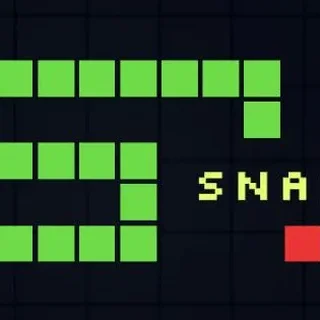
Google Snake is the browser version of the classic snake game that Google ran as a Search doodle: a snake glides around a green grid, you steer it onto apples, and every apple makes it a segment longer. The page is bright, quick to read and has no story to follow. Press a direction and it starts, and a run ends the moment the snake hits a wall or its own tail.
It is a slightly odd neighbour for the ragdoll and smash-the-room games on this site, and that is the point. Those games are about causing chaos. This one is the opposite: calm, precise, and a little tense. If you have spent a few minutes launching a teddy bear and want something that rewards planning instead, a snake run is a good change of pace. The site files it under runners and driving, but it has no jumping or racing. You steer and nothing else.
A round is as short or as long as your nerve allows. Early on the snake is tiny and the board feels empty. Later the body fills much of the screen and every turn has to be planned a few moves ahead.
How to play
Snake is steered with the arrow keys or WASD, and on a phone or tablet you swipe in the direction you want to turn. The snake moves constantly, so you never control speed, only direction. Guide the head onto an apple to eat it and grow by one segment, and your score goes up with each apple.
The rules that end a run are simple. Touching the edge of the board is a crash, and so is running the head into any part of your own body. You cannot reverse straight back onto yourself, so a turn means picking left or right of your current heading. After a crash the game offers a restart, and the run begins again from a short snake.
The page's catalogue note mentions jumping, but that does not apply here. Google Snake is a steering game, and there is no jump button.
Tips
- Stay off the walls early. Hugging the edge leaves you only one way to turn, and a single bad apple near a corner can trap you.
- Turn before you need to. Because the snake never stops, decide your next two turns while you are still travelling the current one.
- Once the snake is long, sweep the board in a steady back-and-forth pattern, like mowing a lawn, instead of cutting straight to each apple. It keeps open space ahead of the head.
- Use the menu options if you want a different feel. The game lets you change settings, so try a calmer setup before pushing for a high score.
Similar games on Kick the Buddy
For something more chaotic, Smash Room and Smash It let you wreck a room with whatever tools you are given. Short Life and Short Life 2 are side-on obstacle courses where reaction time matters more than planning. Kick The Teddy Bear, the headline game here, is pure sandbox play with no board to run out of.
Google Snake suits short breaks on a keyboard or a touchscreen. It runs in the browser with nothing to install, and a run can be over in under a minute, so it is easy to drop in and out between longer games.
Questions about Google Snake
Is Google Snake unblocked at school?
Google Snake runs in an ordinary browser tab from kickthebuddy.org, with nothing to download or install, so it plays on most school Chromebooks and work computers. If a network filter blocks the site, only that network's administrator can change it.
How do you control Google Snake?
Steer with the arrow keys or WASD on a keyboard, or swipe on a touchscreen. The snake moves on its own, so you only choose its direction.
What ends a run in Google Snake?
Hitting the edge of the board or running the snake's head into its own body ends the run. You can then restart and begin again.
Does Google Snake work on a phone?
Yes. It runs in the browser, and on a touchscreen you swipe to turn.
Is Google Snake free to play?
Yes. It plays free in your browser on kickthebuddy.org with no download or account.